How to download and play Lander on the ARM Evaluation System
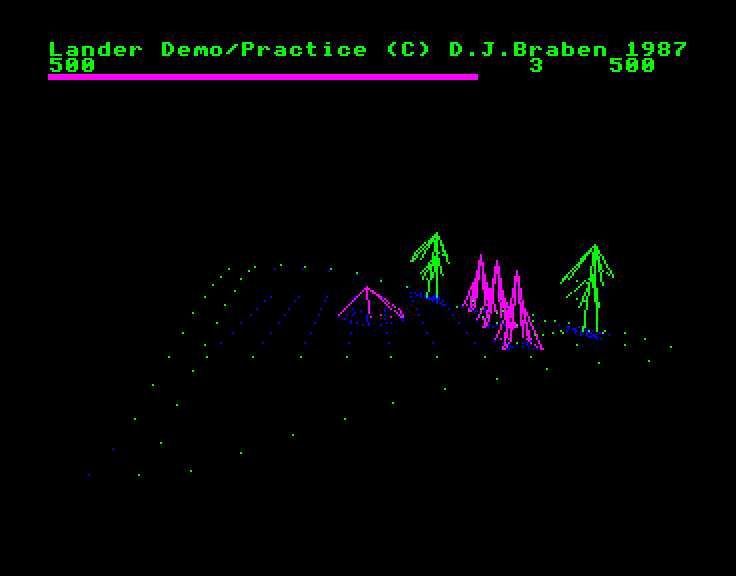
To run Lander on the ARM Evaluation System (AES) you will need one of the following:
- A real BBC Master with either an ARM Evaluation System or an emulated co-processor system like a PiTubeDirect or LX9.
- An emulator that supports the BBC Master and the ARM Evaluation System, such as BeebEm, B-em, MacBeeb or MAME.
In either case, you need to download the SSD disc image of ARM Evaluation System Lander, ensure your AES is switched on, insert the disc and run the game by pressing SHIFT-BREAK. Note that a BBC Master is required; the BBC Micro is not supported as shadow RAM is required.
Instead of a mouse, Lander on the AES uses the BBC Master keyboard. The keys will be pretty familiar to anyone who's played Elite:
| Key | Action |
|---|---|
| S | Pitch down |
| X | Pull up |
| < | Rotate anti-clockwise |
| > | Rotate clockwise |
| A | Fire |
| Space | Thrust |
| ? | Hover |
Top tip: Thrust away from the landing pad before rotating your ship, or your game will be very short indeed.
Release history
---------------
Lander on the ARM Evaluation System has had the following releases:
- 2026-10-23 - Initial release