How I extended Lander to support much larger landscapes
The source code for BigLander is identical to that of Lander, but with a small number of modifications to extend the landscape and support RISC OS 3.5 and later. You can see these modifications by looking in the main Lander.arm source file and searching for "Mod:".
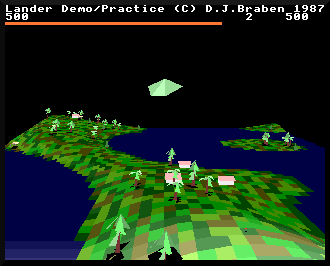
The default version of BigLander has a landscape size of 64 by 64 tiles, so TILES_X and TILES_Z are both 65 (see the next section for an explanation of these variables). It looks like this:
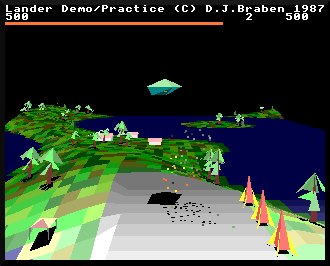
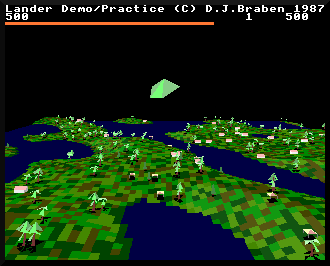
The biggest possible size seems to be 121 by 121 tiles, with TILES_X and TILES_Z both set to 122. It looks like this:
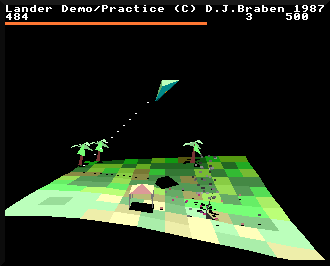
When you compare BigLander with the original version's 12 by 10 tiles, it's quite a difference:
You'll need a decent Archimedes to run BigLander - a Risc PC or Raspberry Pi makes a good choice - and it can be a bit too fast to play easily, but if you want to experiment with the best landscape size for your system, check out the repository, where you can also find instructions on getting BigLander working on your system.
Looking for the landscape
-------------------------
The key to creating BigLander was to look through the source code for any mentions of the landscape's tile dimensions. Luckily there is a pretty big clue in the DrawLandscapeAndBuffers routine, which steps through the landscape, row by row, one tile at time. The landscape dimensions are used as counters for the inner and outer loops of this process, so it wasn't hard to extract these values into the TILES_X and TILES_Z configuration variables.
Another vital piece of the puzzle is the tile size. Again, this wasn't hard to extract, this time from the object map. This routine places objects on tile corners in the map, and it does this by using the top byte of the x- and z-coordinates to get the tile number. This means that coordinate &xx000000 points to tile &xx, which means that each tile must be &01000000 in size. And so I extracted this figure into the TILE_SIZE configuration variable, and slowly other constants revealed themselves as obvious multiples of this value... so LAUNCHPAD_SIZE turned out to be TILE_SIZE * 8, the SAFE_HEIGHT for our ship came in as TILE_SIZE * 3 / 2, and even the landscape offsets in LANDSCAPE_X and LANDSCAPE_Z turned out to be related to the tile size:
  LANDSCAPE_X_WIDTH = TILE_SIZE * (TILES_X - 2)

  LANDSCAPE_X = LANDSCAPE_X_WIDTH / 2

  LANDSCAPE_Z_DEPTH = TILE_SIZE * (TILES_Z - 1)

  LANDSCAPE_Z = LANDSCAPE_Z_DEPTH + (10 * TILE_SIZE)
At this point changing the values of TILES_X and TILES_Z just made things crash, but as I worked through the code, spotting yet another value that must surely be related to the tile sizes and landscape dimensions, things slowly improved.
At one point the landscape started working with an extra tile or two in each direction, but crashed when I made it bigger; it turns out that quite a few of the variable tables depend on the number of tiles, in particular the corner stores that are used when drawing the landscape, and the graphics buffers that implement the depth sorting. The corner stores are dependent on the size of TILES_X (as we need to store all the corner coordinates for each tile row in the corner stores, so the longer the row, the larger the corner store), and the graphics buffers are dependent on TILES_Z (as we need a graphics buffer for each tile corner row, so the more rows we have, the more buffers we need in graphicsBuffers and graphicsBuffersEnd). The solution was to build these tables with FOR loops, so they automatically grow with the number of tiles.
There was also the landscapeConfig table, which doesn't really do much except store the width of each row, so this needed extending to cater for all our extra rows. And then there was the GetLandscapeTileColour routine, which is only designed to cope with tile rows 1 to 10, and returns white for higher row numbers (so at one point I had the landscape drawing correctly, but with almost all of it in white).
Eventually, though, I reached the point where ridiculous landscape sizes were working, but they were very slow on the Archimedes emulator I was using - Braben was right when he called it "a succession of stills". So I reached out the Stardot community, who helped me tweak some small parts of the code to make it run on all versions of RISC OS... and that's when BigLander was born.
I hope you enjoy it.